The filmmaker’s buying guide
Small camera.
Big cinema
ambitions.
The Nikon ZR puts a serious video workflow into a compact body. Here’s how to decide whether it belongs in your kit.
Affiliate links · As an Amazon Associate I earn from qualifying purchases.
Check Nikon ZR on Amazon See current price, seller and kit options on Amazon UK.
NIKON ZR / BUYING GUIDE
VIDEO FIRST
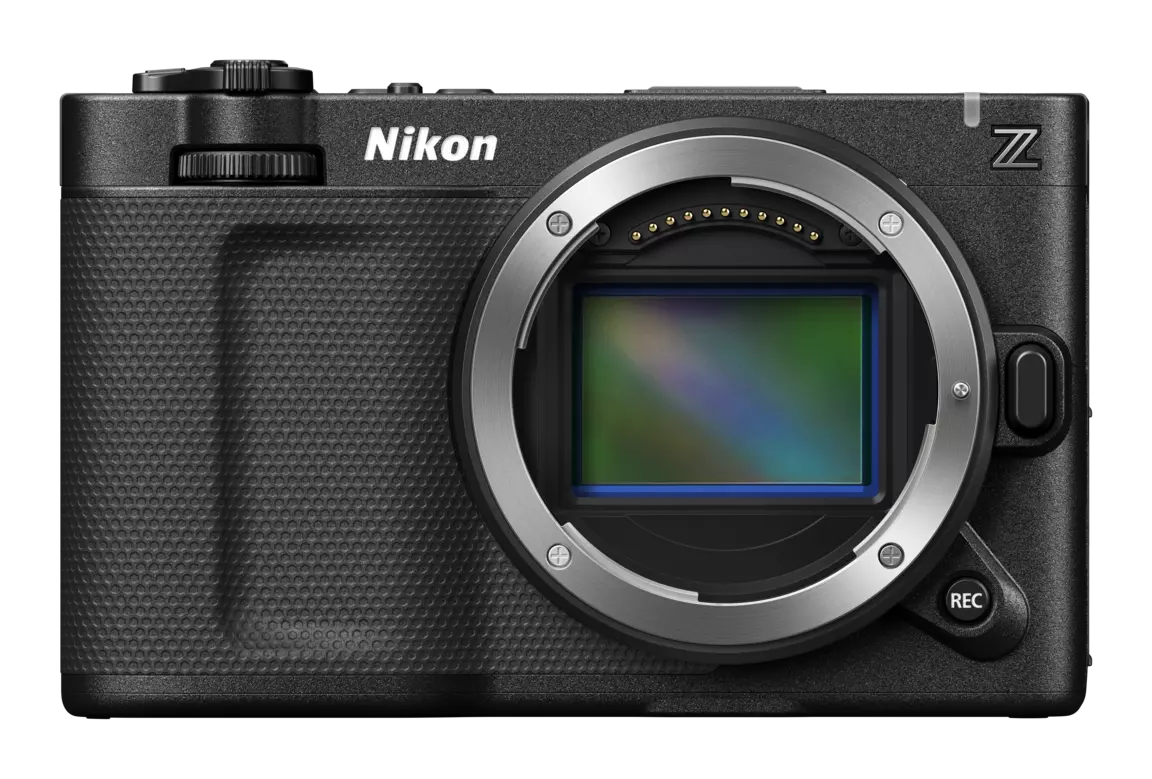
A SMALLER
STARTING POINT. Full-frame cinema camera
Nikon Z lens mount
STARTING POINT. Full-frame cinema camera
Nikon Z lens mount
Product image: Nikon. Shown for this private design sample.
Advertisement / affiliate links.
As an Amazon Associate I earn from qualifying purchases.
This guide uses published specifications, not hands-on testing.
01 / THE SHORT ANSWER
Worth a
closer look?
Yes—if video is the reason you’re buying.
Our take: the ZR makes most sense for filmmakers who want room to develop their editing and colour workflow, while keeping the camera setup compact.
Already using Nikon Z lenses? Put it on your shortlist. Starting from scratch? Compare the cost of the whole kit before choosing the body.
Consider for: filmmaking & creator work
6K / 60p
Up to 6K internal RAW
Full frame
24.5 MP sensor
32-bit float
Internal audio recording
4-inch
Vari-angle touchscreen
02 / BUY FOR YOUR WORKFLOW
The right camera.
For the right creator.
A strong specification sheet is useful. A camera that fits the way you actually work is better.
Put it on your shortlist if…
- You shoot video first. Your next purchase is about filmmaking rather than stills alone.
- You want to grow into RAW. You’re willing to make time for a more involved editing workflow.
- You’re building around Z lenses. You want a cinema-focused body in that system.
Pause and compare if…
- You mainly shoot photographs. Compare handling and viewing options with stills-focused bodies.
- You need the simplest turnaround. Work out whether you’ll actually use the extra recording flexibility.
- Your budget only covers the body. Price the lens, cards and power before committing.
03 / WHERE THE VALUE IS
Think beyond
the resolution.
Room to work in post
Internal RAW recording and RED’s R3D NE format are reasons to investigate the ZR if colour work is part of your process. Check support in your editing software before you buy.
More on the camera itself
The large vari-angle screen and internal audio capabilities may reduce what you need to add for some shoots. Plan around your own monitoring and microphone needs.
A system you can build on
Start with the lens and support your work needs today. Add a cage, handles or other accessories when there is a practical reason to do so.
Our buying advice
Buy for the shoots you already do, with room for the work you want next. Don’t spend your lens and lighting budget chasing a camera specification.
Buy for the shoots you already do, with room for the work you want next. Don’t spend your lens and lighting budget chasing a camera specification.
BEFORE YOU CHECK OUT
Get the whole
kit right.
Confirm the exact kit
Check whether the Amazon listing includes a lens or is body-only. Look at the selected option, seller and what is included.
Choose compatible recording media
Use Nikon’s approved-media guidance for the recording format and frame rate you intend to use.
Check power and charging
Verify the supplied battery and charging accessories. Plan for how you will power longer shoots.
Test your editing plan
Confirm codec support, storage capacity and computer requirements before making RAW your default.
Read the seller’s terms
Check delivery, returns and UK warranty details on the exact offer you select.
Ready to compare the offer?
Check the camera.
Then check the kit.
See the current Amazon listing and confirm it’s the right Nikon ZR option for your setup.
View Nikon ZR on Amazon UK
Affiliate link · Opens Amazon in a new tab.
Price and availability are shown by Amazon.
Price and availability are shown by Amazon.
04 / THE LAST FEW QUESTIONS
Before you
make the call.
Is this a hands-on review?
No. This is a buying guide based on Nikon’s published information and editorial advice. We haven’t claimed to test the camera or its real-world performance.
Does the Amazon link include a lens?
Check the selected listing option and included items on Amazon. Do not assume that a pictured lens is included in a body-only offer.
Do I need to record everything in RAW?
No. Choose a supported recording format that fits your delivery needs, editing software and storage budget. RAW flexibility comes with workflow considerations.
Why isn’t there a price on this page?
Prices and offers can change. The button takes you to Amazon UK so you can check the current price, seller and availability together.
Will this link work outside the UK?
This sample links directly to Amazon UK. International links will be added once the Geniuslink connection and country destinations have been checked.
Sources & editorial notes.
Specifications checked against
Nikon’s ZR product information
and
technical specifications
on 17 October 2026. Recording options depend on mode and configuration.
Suitability statements are editorial opinions, not performance test results.
Product photograph remains Nikon’s copyright; replace with your own
or licensed photography before public publication.
